This guide walks hosts through the steps required to schedule a KUDO Meeting with human interpretation, book professional interpreters, and upload preparation materials to support high-quality interpretation.
Audience: Hosts, Meeting Organizers, Operators, and Clients.
Before You Start
Before booking interpreters, confirm that the KUDO meeting has already been created, interpretation languages are finalized, and a Host or Operator will be available during the session. If your meeting requires preparation materials (agendas, presentations, terminology, or speaker notes) have those ready to upload as well, and make sure the scheduled meeting duration accounts for any interpreter preparation time needed.
Providing preparation materials in advance is strongly recommended for the best interpretation experience.
Important: Notify your KUDO Project Manager of any changes to the meeting date, languages, or schedule. Cancellation policies may apply for meetings canceled within 72 hours of the scheduled start time.
Booking Interpreters
- From the meeting dashboard, click Book Interpreters.
- Enter the dates and times interpretation is needed, along with the meeting subject matter, topics, and any regional language variation requests. Click Complete Booking to submit the request.
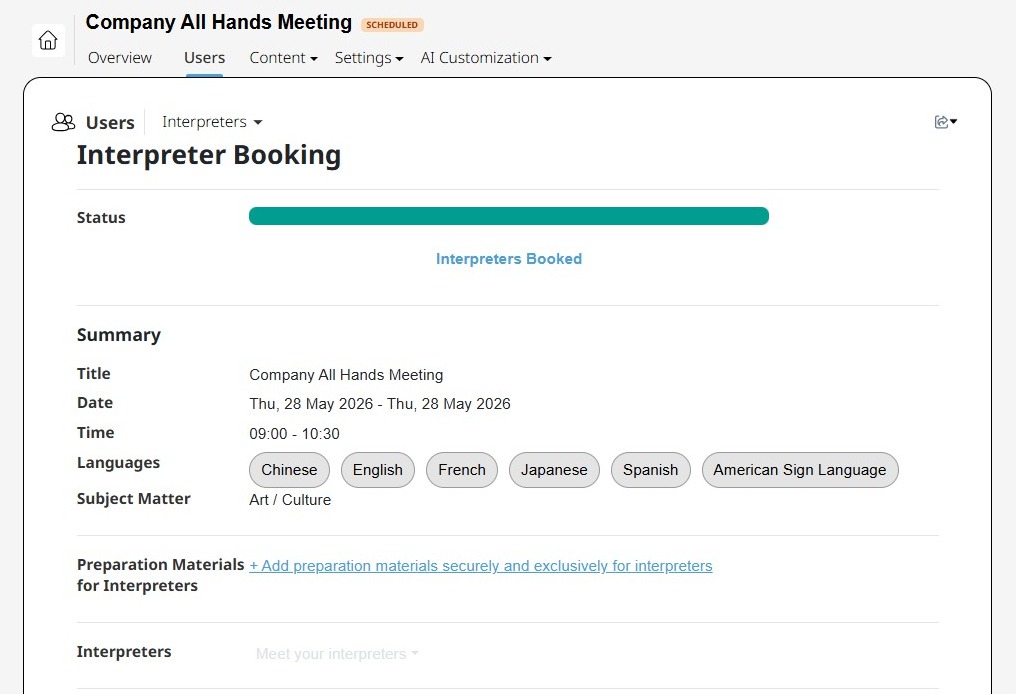
- Go to Users > Interpreters to review the booking status, access interpreter details, and upload any preparation materials to support interpretation quality.
Good to Know
Interpreter bookings are subject to availability, and preparation materials can be uploaded at any point after the request is submitted. You can review assignments and booking status at any time under Users > Interpreters.
Keep in mind that preparation time may vary depending on the complexity and format of the meeting, and any changes to the schedule, languages, or duration may affect interpreter staffing and cost.